
Where to start
Account, balance and subscription - everything before your first room. How the rooms themselves work is in the sections for each room type.
Create an account All plans
Click Get Started on the home page. A form like the one in the picture opens. Filling it in takes less than a minute.
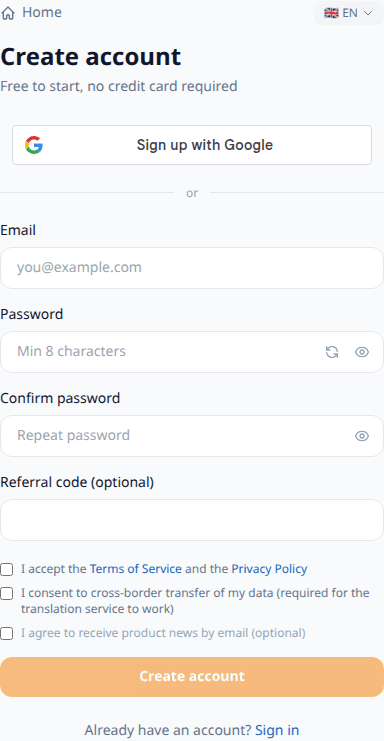
- 1Email - your email address. We only write when it matters.
- 2Password - make up a password of at least 8 characters and remember it.
- 3Referral code - only if a friend shared a code with you. No code? Skip it.
- 4Tick the consents: the first two are required, the third (news) is optional.
- 5Faster: the «Sign up with Google» button at the top of the form - one click with the mail you already have.

Right after signup you get 15 free minutes - try the service without adding a card.
Two ways in
An account is created either with mail and a password, or through Google. The difference matters more than it seems, and the choice depends on where you will be working.
Mail with a password works anywhere. If you run meetings from someone else's computer - a meeting room, a hall, the organiser's desk - you can log in with a password on any device and leave nothing tied to a stranger's browser.
Google is convenient on your own device: no password to invent, one click to sign in. On someone else's computer it is less handy - you would have to sign into a foreign Google account and sign out afterwards.
The choice is not final, but merging is a manual step. If the account was created with mail and a password and you then sign in with Google using the same address, the service will not let you straight through: it asks for the password of the existing account. After that the accounts become one - history, rooms and subscription are shared, and you can sign in either way. Forgot the password - reset it first, then merge.

Tony: if you present and sit down at someone else's laptop, create the account with mail and a password. Signing in with Google on a foreign machine means a foreign browser, foreign saved sessions and five extra minutes before your talk.

Sofia: picked the wrong path - not a problem, but you will need the password of the first account. Signing in with Google on an already used mail asks you to confirm it, and only then the accounts merge into one.
Confirming your mail
After the form a letter arrives with a six-digit code. Type it on the same screen - or open the link from the letter, it confirms the mail by itself. Both ways are equal; the code and the link live for a day.
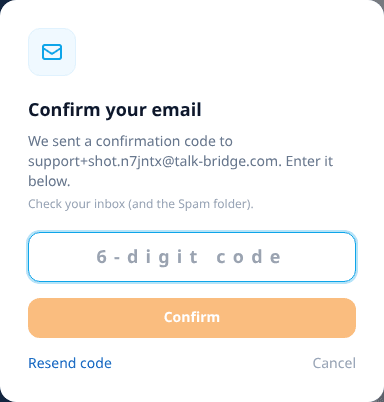
With Google no code is needed: Google confirms the mail itself. The only thing you will be asked is to allow Talk-Bridge to see your mail address and name.
Top up your balance Pay as you go
Payment works like a travel card: you add money to your account and the service charges only for the minutes when someone speaks. Open Billing in the left menu.
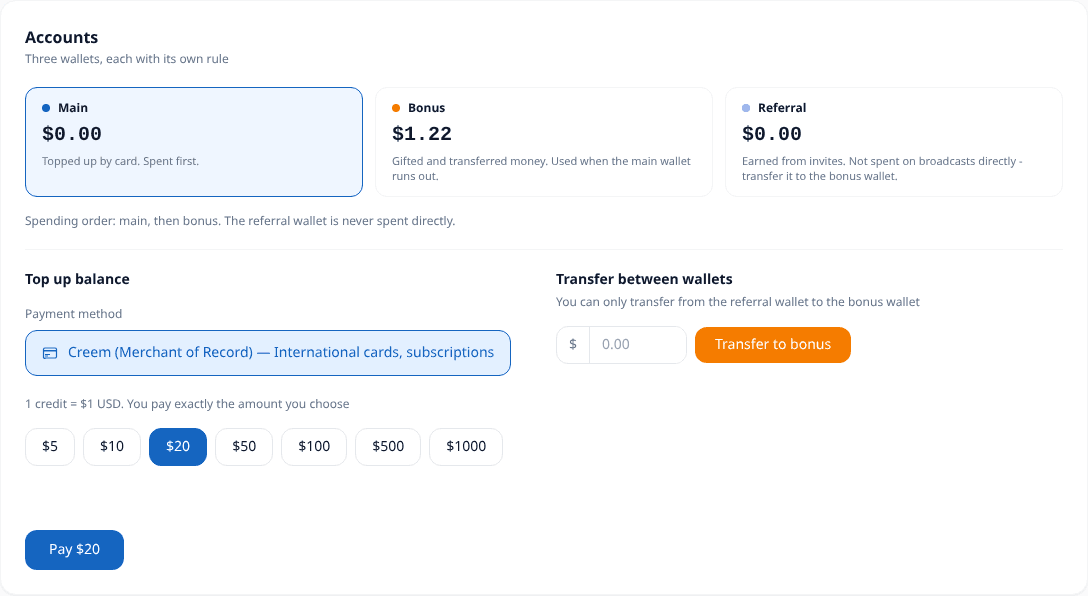
- 1Main balance - money you added yourself. Spent first.
- 2Referral balance - rewards for invited friends.
- 3Bonus balance - gifts from the service (including the welcome 15 minutes). Spent after the main one.
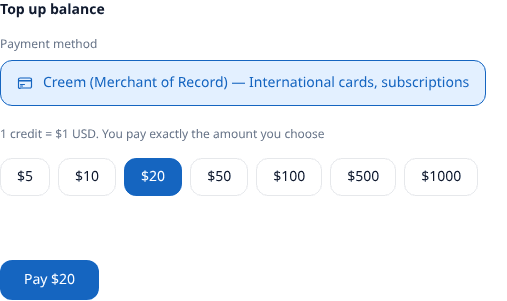
- 1Payment method - choose how to pay (bank card).
- 2Tap a preset amount ($20, $25, $50, $100) or enter your own.
- 3Press Pay - a normal card payment page opens, like in any online store.
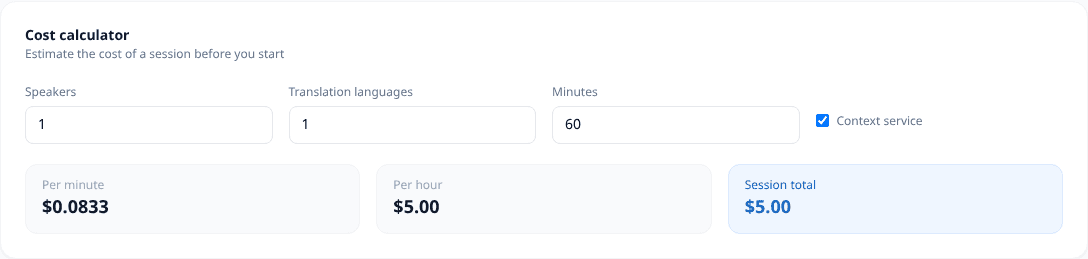
Not sure how much to add? An hour with one listener costs about $5. The calculator in the same section gives the exact price.
What it costs Pay as you go
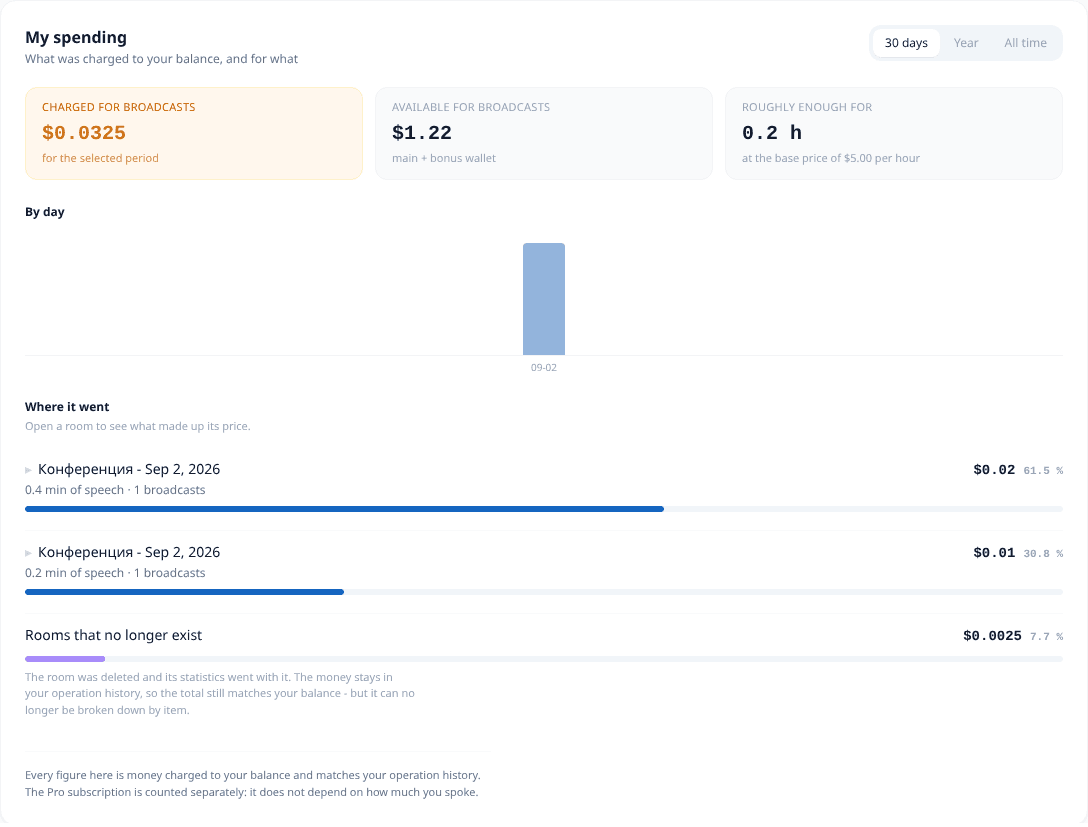
You pay for minutes actually spoken, not for a package. The cabinet shows what has been charged and how long the balance will last; the calculator estimates a session before it starts.
Pro subscription - optional PRO
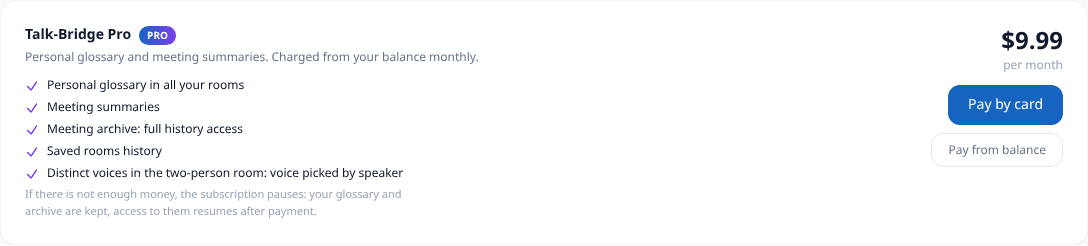
Everything essential works without a subscription: all room types, translation, voice-over, listeners by link. Pro is about what remains after the talk and about convenience for those who meet regularly. It is bought separately and charged from the same balance as the minutes.
Personal glossary
PROA list of your names, titles and terms. The service puts them into the translation in all your rooms - a colleague's surname and a product name stop turning into random words. Kept in the «Glossary» section of your account.
Meeting summary
PROA retelling of the talk: what was discussed and what was agreed. Built on demand right in the room after it ends - no need to reread the whole feed to recall the decisions.
Meeting archive
PROFull access to the history: the texts of all your meetings and translations per language are kept in your account. Without a subscription the history is still recorded, but opens only with Pro.
Saved rooms
PROA room you use regularly is saved to your account - with the same languages and settings. The link stays the same, so participants do not need a new one every time.
A voice for each side
PROIn «Talk for two» the voice-over picks a voice for each side - you hear who is being translated without looking at the screen. The room works without a subscription; telling the sides apart by voice comes with Pro.
History and the meeting summary work the same in every room type: conference, broadcast and talk for two.
What remains after the talk →Tony: start without a subscription. Rooms, translation and listeners work right away; Pro helps when meetings become regular and you want to come back to them.

Tip: start without Pro. If you meet a lot, enable it later - it is one Subscribe button.
Create a room All plans
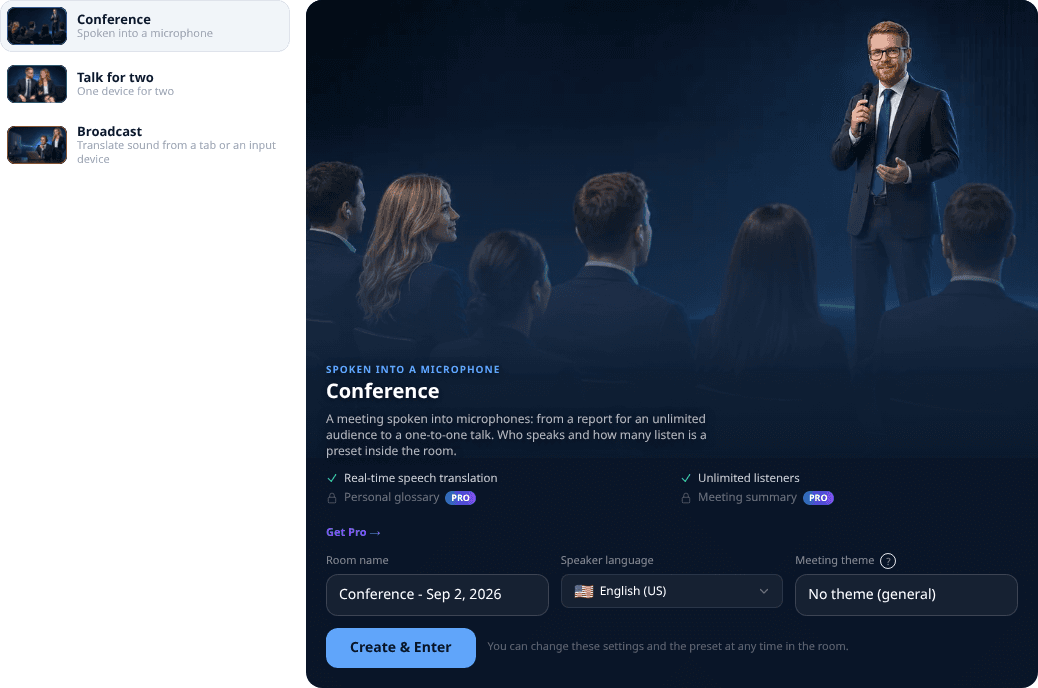
A room is your online meeting. Open Rooms and start from a preset - it is just a starting setup: every room has the full feature set, and the preset can be changed inside the room at any time.
Which room to choose
Rooms differ not by audience size but by where the sound comes from and how many devices are involved. Pick by your case.
- 1Conference - when you speak into a microphone yourself: a talk, a lecture, a service, a stand-up, negotiations, a one-to-one. Listeners join by link and pick a language; there is no limit on their number.
- 2Broadcast - when the sound already plays on the computer and you are not the one speaking: a webinar in a neighbouring tab, a film, a conference stream, a hall desk with mixed microphones.
- 3Talk for two - when the other person is next to you and there is a single device: a talk at a table, a doctor's appointment, a deal, a meeting with a guest from another country.
Set up for the best quality
A few minutes of preparation and every word comes through clean. Tony and Sofia's checklist before you go live.
Reliable path
A wired lavalier or headset gives clean audio right at your mouth, a desktop computer is steadier on a long broadcast, and a cable to the router holds the signal better than Wi-Fi. Speech is recognized more accurately and translation does not stutter.
Alternative
A phone headset, a smartphone and Wi-Fi work too and suit short rooms. But on a weak signal you may get delays and drops. If quality matters, pick the top path.
Stable internet
Sit closer to the router or reboot it before an important room - a steady signal keeps the translation from stuttering.
Wired beats Wi-Fi
For a long broadcast a LAN cable is steadier than Wi-Fi and avoids random drops.
Use headphones
Headphones stop the voice-over from leaking back into your microphone and creating an echo loop.
A close microphone
A headset or lavalier mic near your mouth gives clean audio, so recognition makes far fewer mistakes.
A quiet room
Less background noise means more accurate recognition - close the window and mute notifications.
Cloud or local model
The cloud model recognizes speech more accurately; the local one works offline and keeps audio on your device.
About the local model
The local in-browser model runs without sending your voice over the network and needs a one-time language-pack download. It is lighter and less precise than the cloud model - choose it for privacy, and the cloud for maximum accuracy.

Run a 30-second test room with a friend before the real event - you will hear at once whether the sound is clean.
What else Talk-Bridge can do
A quick look at other features - detailed guides will follow.
Translate a browser tab
All plansA webinar, a lecture or a film playing in a neighbouring tab: the room takes its sound and translates it for listeners, with subtitles and voice-over.
Sound from any input
All plansNot only a microphone: a line input, a USB interface or a hall mixing desk. Whatever plays into your computer can be translated.
One device for two
All plansTwo people, one phone on the table between them. Each speaks their own language, the room works out who is talking and answers into the other ear.
A voice of their own
PROIn a talk for two the voice-over picks a voice for each side, so it is clear by ear who is being translated - without looking at the screen.
Meeting topics
All plansReady-made modes: church service, business meeting, doctor visit, conference. Translation adapts to the setting.
Personal glossary
PROThe service remembers your names and terms and always translates them the same correct way.
Meeting summary
PROAfter the meeting - a neat recap: what was discussed and what was agreed.
History and transcripts
PROThe text of all meetings is stored in your account with the Pro subscription - come back and reread anytime.
Room spending
All plansEvery room shows how many minutes were spoken and how much was charged - for a month, a year or all time.
Saved rooms
PROSave a room you attend regularly and come back to it from your account - no link and no key needed.
1-on-1 dialog
All plansA conversation between two people in different languages with instant two-way translation.
Negotiations
All plansTurn-based talks: the service recognizes participants by voice and translates each one.
Language courses
Coming soonLearn a language on real speech: lessons built around live conversations, not textbook phrases.
Live coach
Coming soonSpeak a foreign language and get a gentle hint by text and voice the moment you get stuck.
Room translator
Coming soonPoint the app at the room: it separates voices and translates everyone around you out loud.
Voice twin
Coming soonYour translation is spoken in your own voice, so you sound like yourself in any language.
Enterprise and on-premise
Coming soonA private deployment inside your own perimeter for companies and government bodies.
Meeting bridge
Coming soonA plugin that captures your video-call audio and streams your translation to every participant.
Video dubbing
Coming soonTranslate a video and get new audio tracks, voiced as in the original.
My library
Coming soonPersonal storage for your videos, voice models and materials, all in one place.
The easiest way is to try: signup is free and 15 free minutes on signup are already waiting on your balance.
Try for free