
Two people, one phone
The difference from a one-to-one talk is not the number of people but the number of devices: there are two phones, here one. Each speaks their own language and hears the other translated.
Getting started All plans
Pick the room type «Talk for two», set two languages and put the phone between you. The other person installs nothing and needs no account.
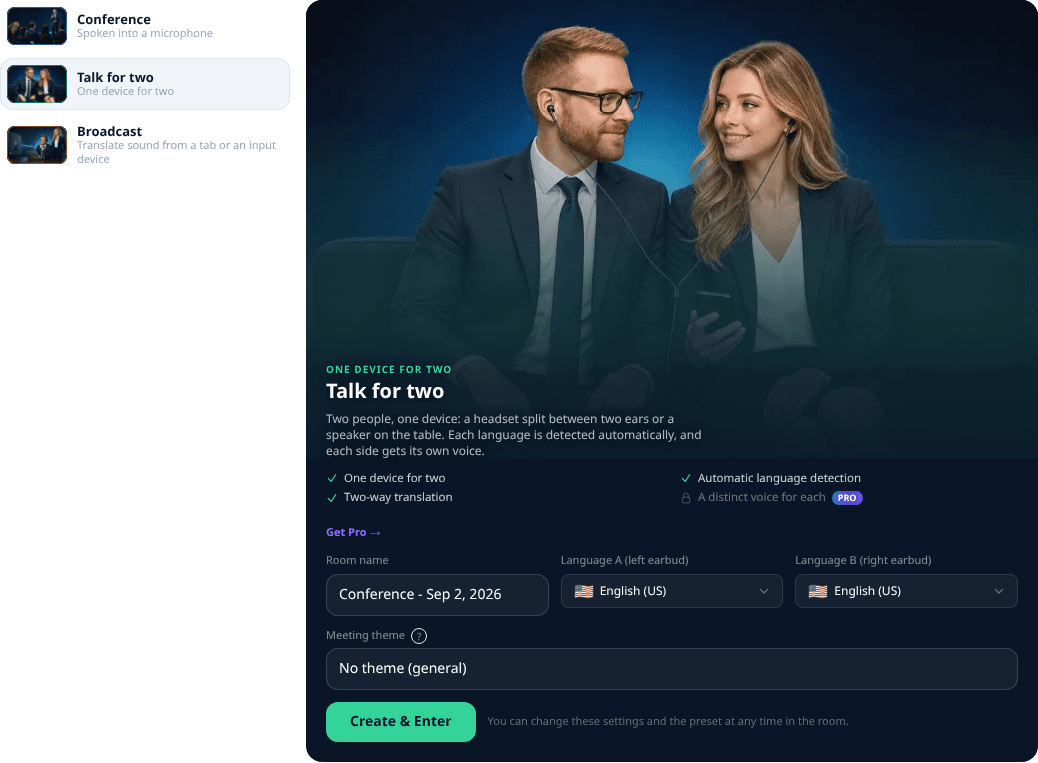
- 1Language A is the left earpiece, language B is the right one.
- 2The language pair is chosen when the room is created or in its settings. After the start the languages are locked - the room says so on screen: changing them mid-talk would break the guess of who is speaking.
- 3Who said what is decided by the language, not by a button: the room recognises the language of the phrase itself.

Tony: speak in short phrases and pause. The service needs to hear the end of the thought - a long tirade comes back translated with a delay.
On a computer All plans
The same talk on a large screen: the two windows are wider and more lines fit at once. The settings - languages, audio output, voices - are exactly the same as on the phone.
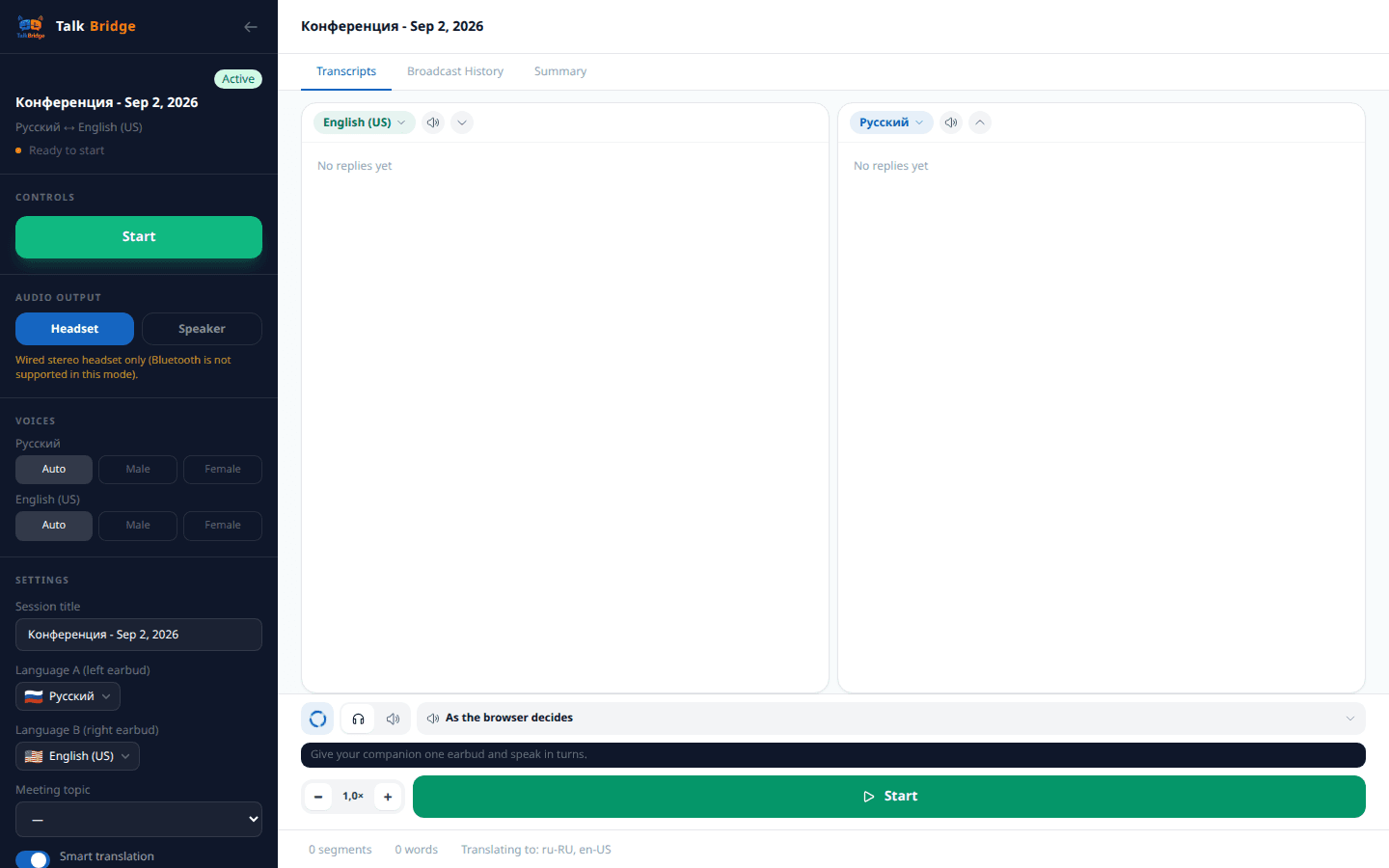
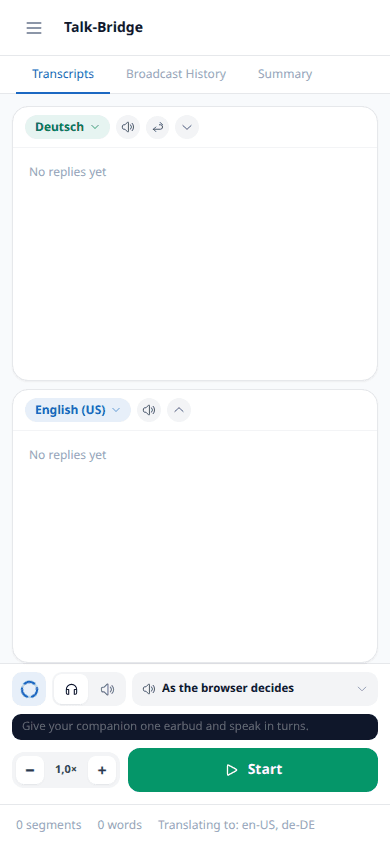
- 1The screen is split into two windows: the upper one is the other person's side, the lower one is yours. On a computer they simply sit one above the other, and that is enough: both see the screen.
- 2The state rings show what is going on: the room is listening, recognising your speech, or playing the translation. While the voice-over spins, the other person's turn has not come yet.
- 3The bottom bar: the output device (headset or speaker), the speech speed with «−» and «+», and the button to start and stop the talk.
Tony: speak in short phrases and pause. The service needs to hear the end of the thought - a long tirade comes back translated with a delay.
On a phone All plans
A phone usually lies between the two people, so here comes the main convenience - flipping the upper window by 180°. Each reads their own half from their own side of the table, and the device does not need to be passed around.
The screen button by button
Flipping the upper window
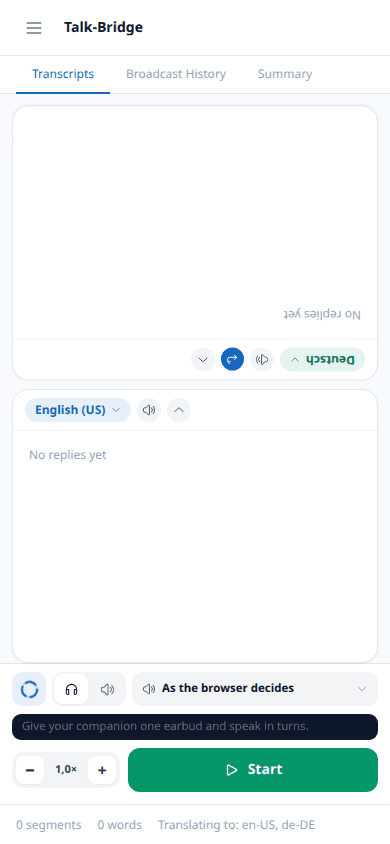
- 1The flip button turns the upper window by 180°. When you sit facing each other and the phone lies on the table, each reads their own feed from their own side - nothing needs to be passed from hand to hand. The state is remembered for the room.
- 2Only the upper window flips - the one facing the other person. The lower one stays towards you: if both were turned, nobody could read.
- 3Either window can be collapsed. Then only one side's speech remains on screen - handy when the other person speaks at length and you want their translation large, while you remember your own lines anyway.
- 4The ticker at the bottom is a hint about what to do right now: hand the other earpiece over, speak in turns, wait for the translation to finish.

Sofia: put the phone between you and turn the upper window around - each reads their own side and nobody has to keep rotating the screen.
Sound and voices All plans
A wired stereo headset splits the languages between the ears; a speaker suits a table conversation. Each language gets its own voice, so it is clear who is being translated.
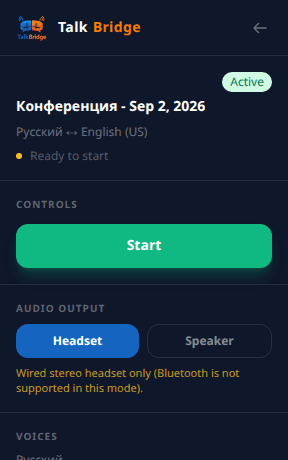
- 1Bluetooth is not supported in this mode: it delays the sound and mixes the channels.
- 2The voice for each language can be left automatic or set to male or female.
- 3The speed of the voice-over is adjusted right in the footer, without leaving the conversation.
When the microphone goes quiet All plans
It depends on how you listen. With headphones the microphone is not blocked: the translation sounds only in your ear, the room does not hear it and you can speak at any moment. In speaker mode the microphone is muted while the voice-over plays - otherwise the room would hear its own voice and translate it again.
Headset
The microphone is not blocked. The translation sounds only in the earpiece, the room does not hear it - you can speak at any moment, even over the voice-over.
Speaker
The microphone is muted while the translation plays. Otherwise the room would hear its own voice-over from the speaker and translate it again - so speak in turns.
Speak in turns
While the translation is being spoken, the microphone is muted so the room does not hear itself. Wait for the phrase to finish and then answer - that is the whole rule of this room.
Tony: wait for the voice-over to finish - interrupting is pointless, the room plays the phrase to the end anyway. Sofia: if you are in a hurry, put on an earpiece - then the microphone is not muted and you can answer at once.