
What remains after the talk
History and the meeting summary work the same in every room type: conference, broadcast and talk for two.
Broadcast history PRO
A tab next to the feed. The feed shows what is happening now; the history shows every past run of this room: when it was, how long it lasted, what was said and how it was translated.
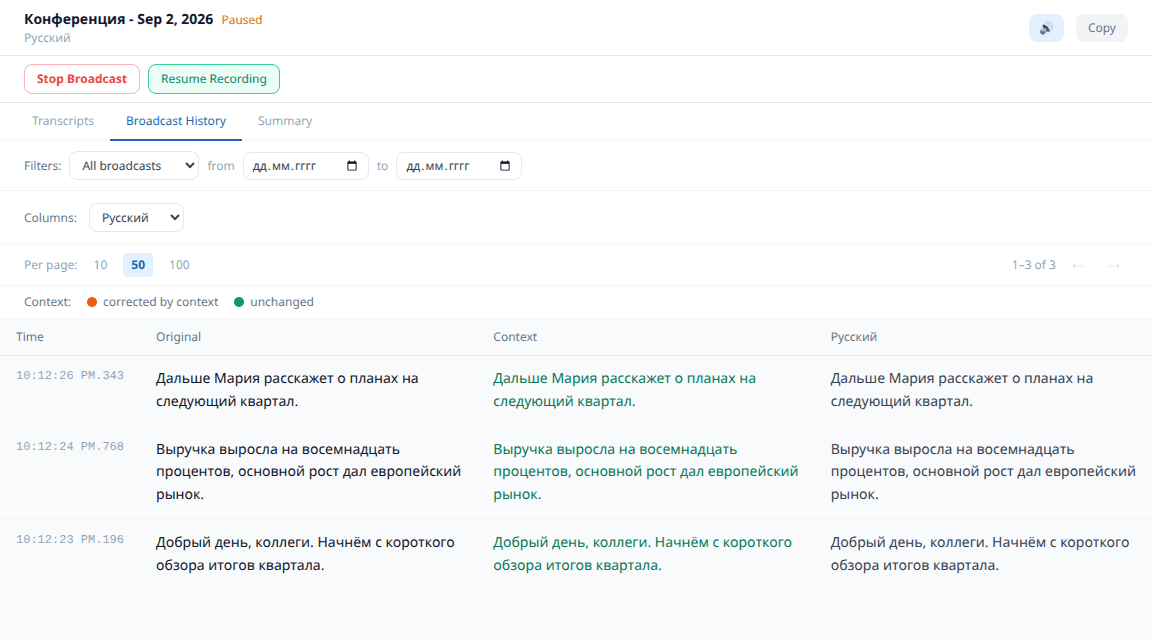
- 1Records are kept in your account and do not disappear when the room closes.
- 2Both the original speech and the translation into each language are visible - you can check how the speaker was understood.
- 3Without a subscription the history is recorded, but opens with Pro.

Sofia: if a meeting matters, look into the history right after it - you can see how the speaker was understood and fix the terms in the glossary.
Where to see the translations All plans
In the feed the speaker sees only their own speech, so the translations are easy to miss. The «See translations» button above the feed opens this very table - with the translation into every language the listeners chose in this room.
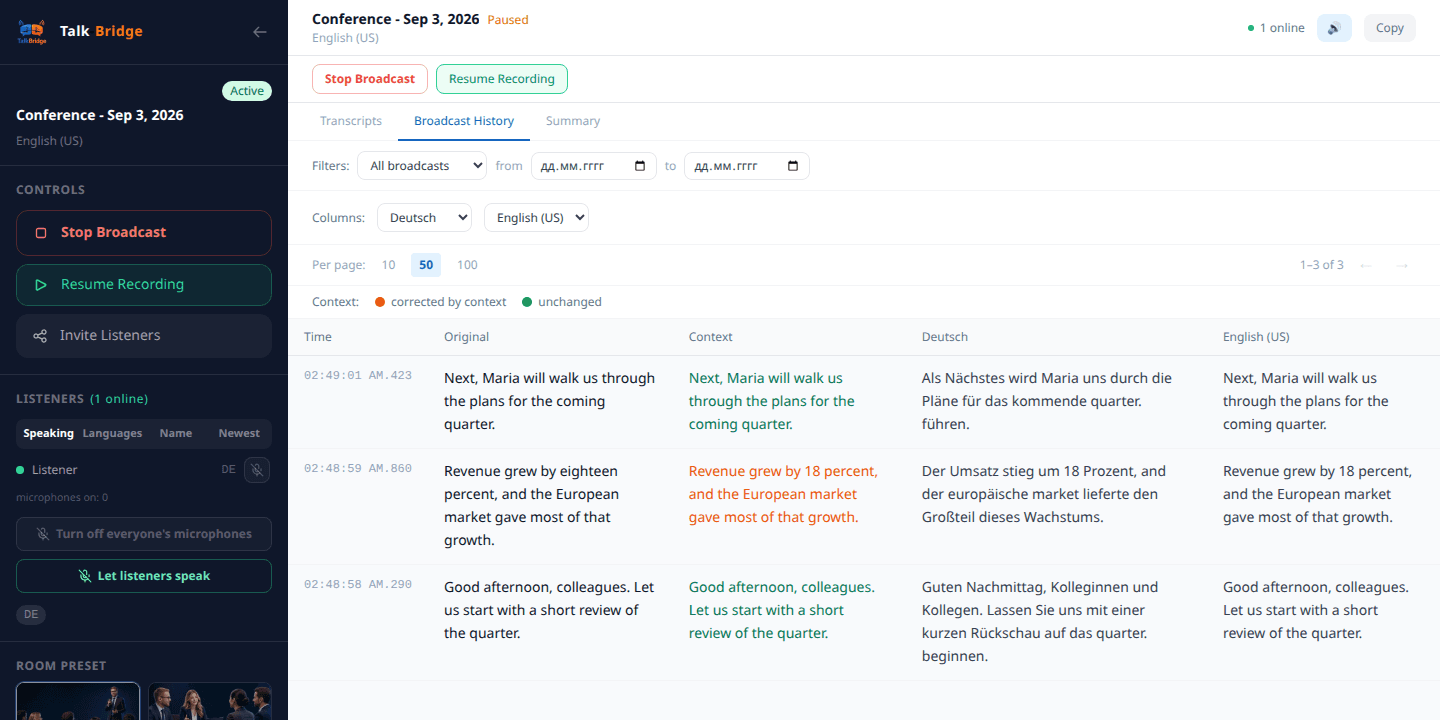
The table columns
«Original» - the speech word for word, as the recogniser heard it: with slips, broken phrases and unfamiliar names.
«Context» - the same phrase after smart processing. The service keeps the meeting topic and previous lines in mind, so it repairs names, terms and broken bits; it is this text that goes into translation. It is orange where the processing actually corrected the phrase, and green where the recognised text already matched.
Then comes a column for every language the listeners picked. This is where you see what they actually heard: the original phrase and its translation stand side by side, and any of them can be checked.
Meeting summary PRO
When the talk is over, the room offers to build its summary. It is not a transcript but a short retelling: what was discussed, what was decided, what is left to do.
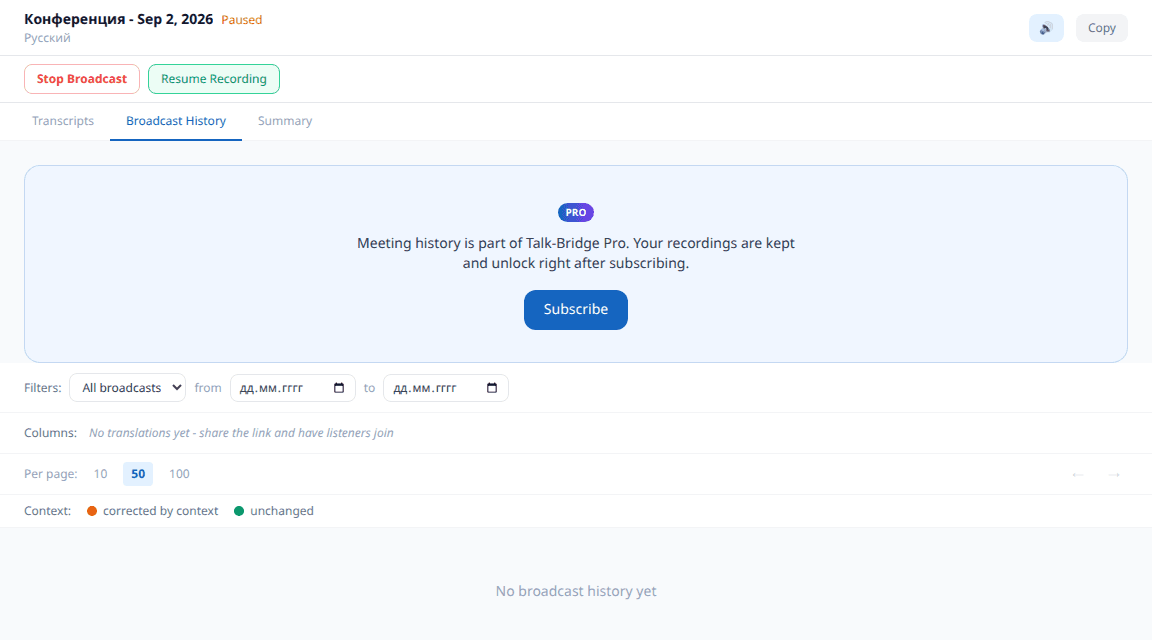
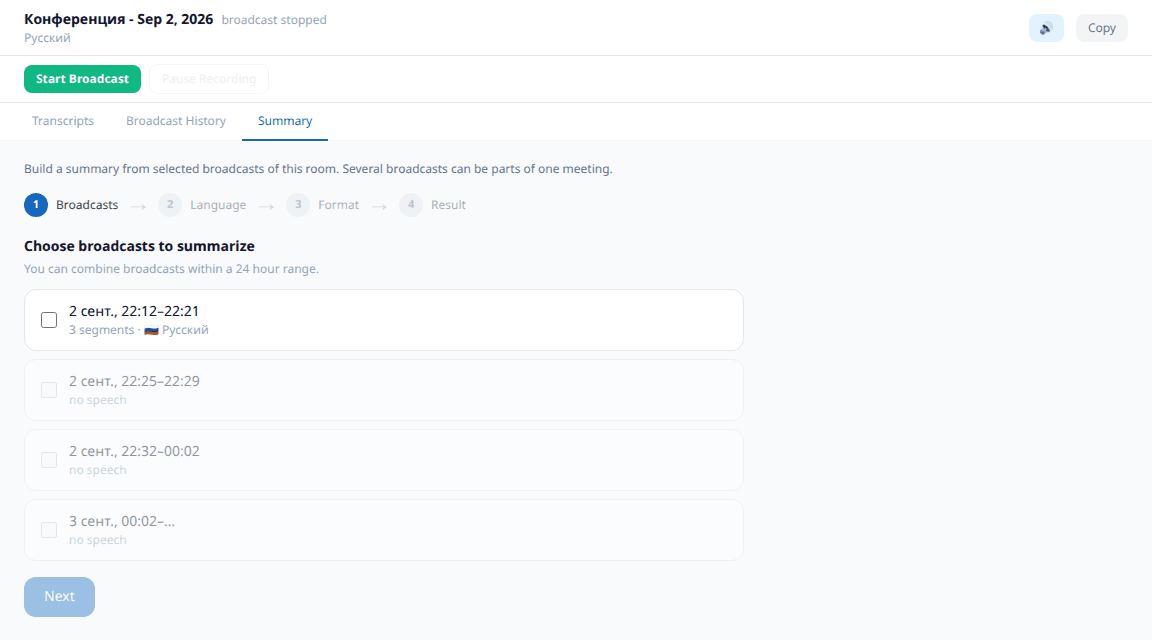
- 1Built by a button and takes a few seconds - the service needs to reread the talk.
- 2The finished summary stays in the room: you can come back to it later.
- 3A subscription feature: without Pro the button is visible, but the summary is not built.
Pro subscription - optional
PROEverything essential works without a subscription: all room types, translation, voice-over, listeners by link. Pro is about what remains after the talk and about convenience for those who meet regularly. It is bought separately and charged from the same balance as the minutes.