
Что остаётся после разговора
История и итог встречи работают одинаково во всех типах комнат: и в конференции, и в трансляции, и в разговоре на двоих.
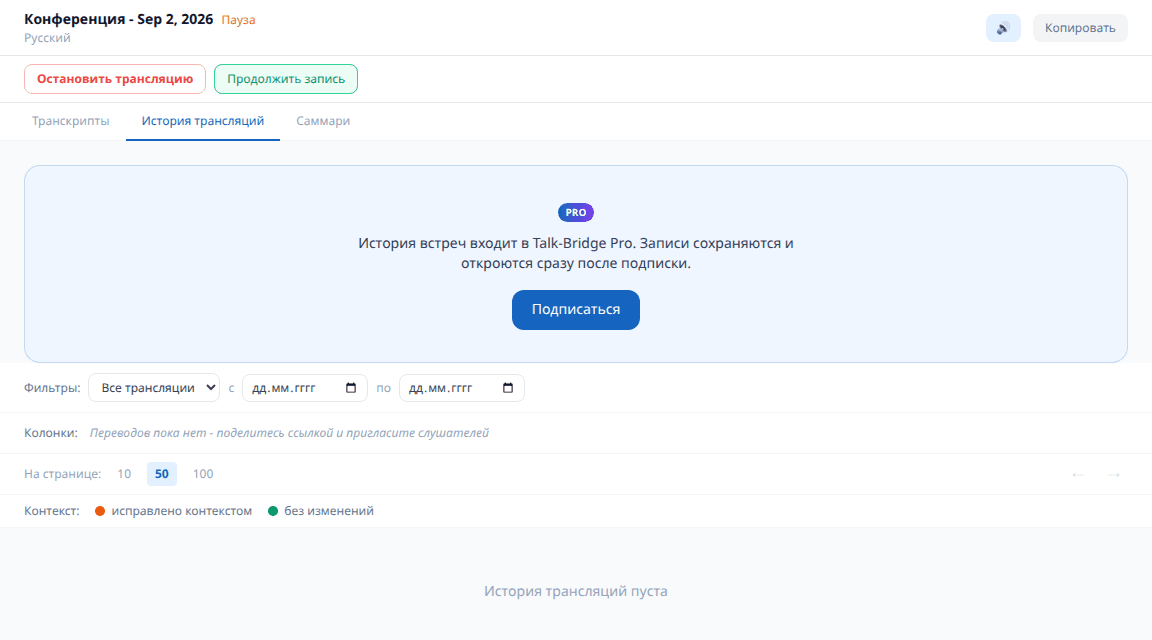
История трансляций PRO
Вкладка рядом с лентой. В ленте видно происходящее сейчас, в истории - все прошлые запуски этой комнаты: когда были, сколько длились, что говорили и как это перевели.
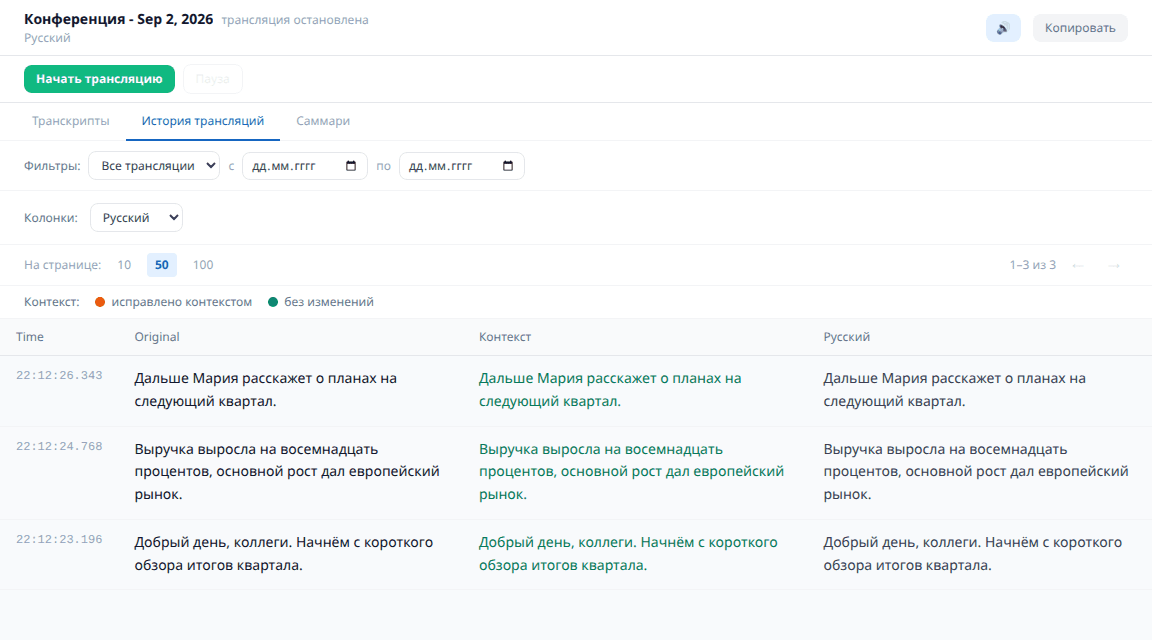
- 1Записи хранятся у вас в аккаунте и не пропадают после закрытия комнаты.
- 2Видно и исходную речь, и перевод на каждый язык - можно проверить, как поняли докладчика.
- 3Без подписки история ведётся, но открывается с Pro.

София: если встреча важная, загляните в историю сразу после неё - там видно, как именно поняли докладчика, и можно поправить термины в глоссарии.
Где посмотреть переводы Все тарифы
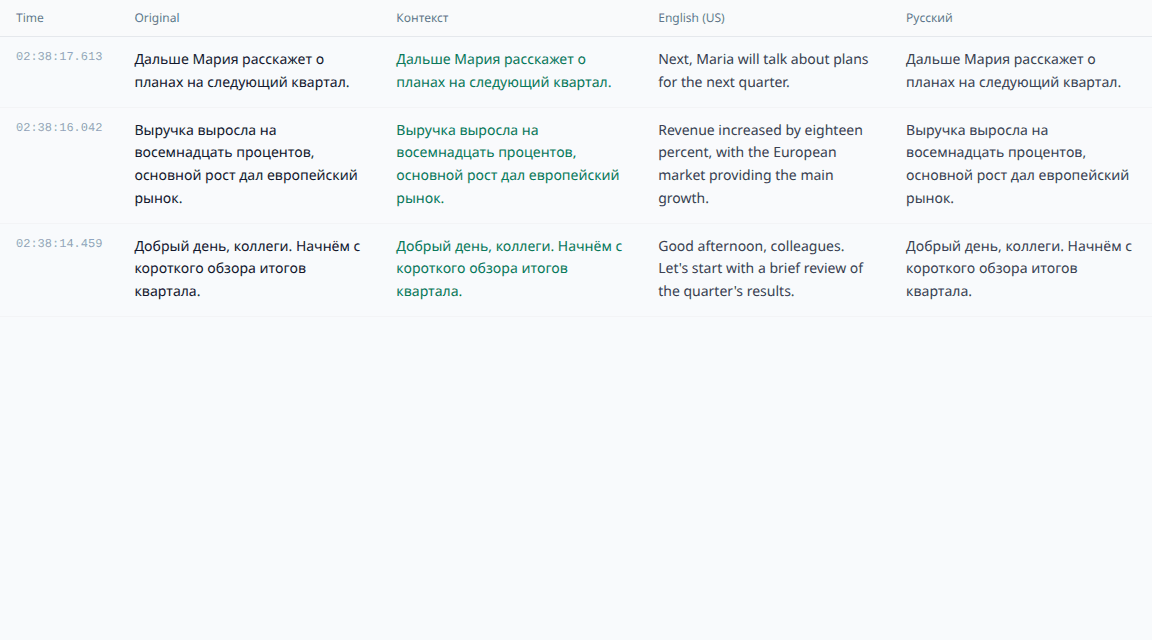
В ленте ведущий видит только свою речь, поэтому переводы легко не найти. Кнопка «Смотреть переводы» над лентой открывает эту же таблицу - с переводом на каждый язык, который слушатели выбрали в этой комнате.
Колонки таблицы
«Оригинал» - речь слово в слово, как её услышал распознаватель: с оговорками, обрывками и незнакомыми именами.
«Контекст» - та же фраза после умного преобразования. Сервис держит в голове тему встречи и предыдущие реплики, поэтому чинит имена, термины и обрывки; именно этот текст уходит в перевод. Оранжевым он подсвечен там, где преобразование действительно поправило фразу, зелёным - где распознанное и так совпало.
Дальше - по колонке на каждый язык, который выбрали слушатели. Здесь и видно, что именно они услышали: рядом стоят исходная фраза и её перевод, и любую можно сверить.
Итог встречи PRO
Когда разговор закончен, комната предлагает собрать его итог. Это не расшифровка, а короткий пересказ: о чём говорили, что решили, что осталось сделать.
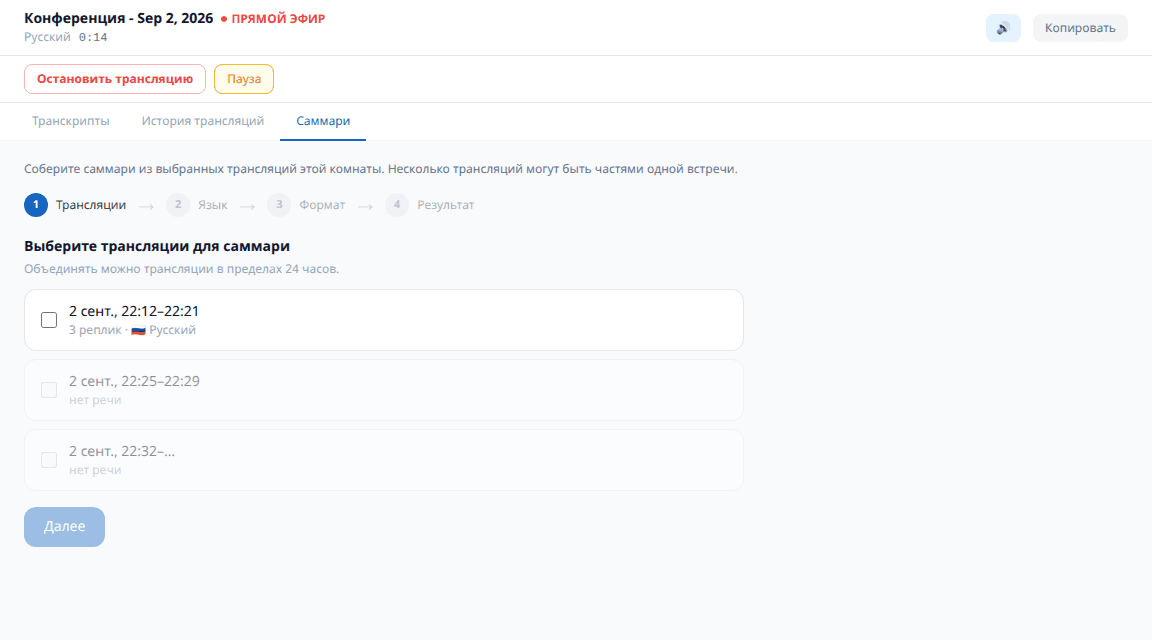
- 1Собирается по кнопке и занимает несколько секунд - сервису нужно перечитать разговор.
- 2Готовый итог остаётся в комнате: к нему можно вернуться позже.
- 3Возможность подписки: без Pro кнопка видна, но итог не собирается.
Подписка Pro - по желанию
PROВсё главное работает без подписки: комнаты всех типов, перевод, озвучка, слушатели по ссылке. Pro - про то, что остаётся после разговора и про удобство тех, кто встречается регулярно. Подписка докупается отдельно и списывается с того же счёта, что и минуты.